The AI transcription assistant for iPhone
Listen in class. Lomel takes the notes.
The AI transcription assistant that turns any recording into a polished transcript, summary, and shareable document — in 47 languages, with on-device translation in 29 more.
- 47Dictation languages
- 29Translation languages
- 100%On-device by default
Record or import
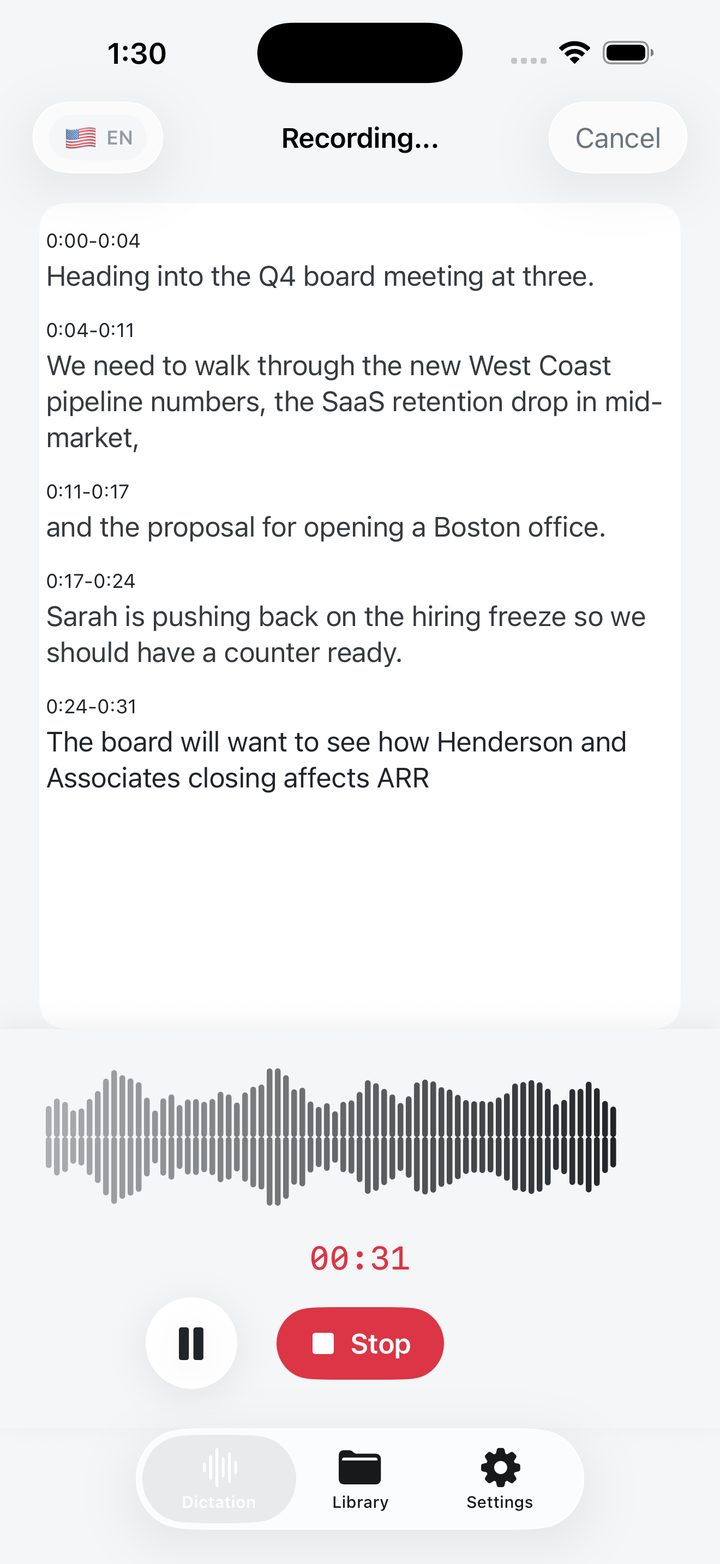
Live captions · Live waveform
Every word of the lecture, captured as it happens.
Tap once to dictate live, or import any MP3, M4A, WAV, AAC, AIFF or CAF file up to 100 MB. Long files are chunked automatically.
- Real-time RMS audio levels with timestamped segments as you speak. Tap to seek anywhere.
- Filler words, stutters, and false starts are removed automatically. Toggle between raw and clean any time.
- Every recording gets a meaningful, scannable title the moment you stop talking. No typing. No cleanup. Your library stays beautifully organised on autopilot.
AI Summary Pack
KEY POINT · ACTION
Skim a one-hour meeting in sixty seconds.
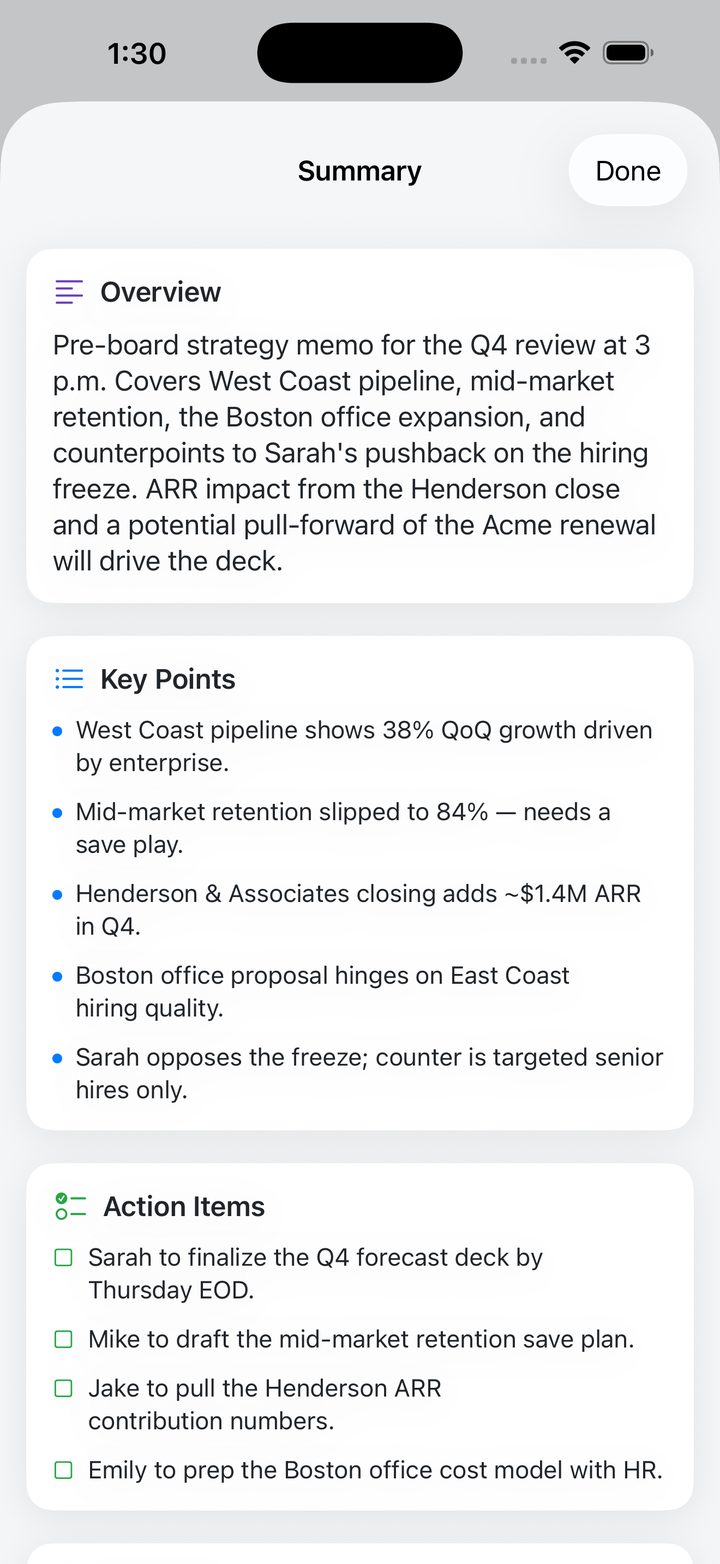
The Summary Pack distils every recording into structured sections you can scan, paste into Slack, or send to your CRM.
- Overview & Key Points for the gist.
- Action Items with assignees pulled from context.
- Decisions and Meeting Notes structured automatically.
- Follow-up Draft — a ready-to-send email, generated from the conversation.
Ask AI
Enhance with AI
Ask the recording what you missed.
Chat with any transcript. "What did Sarah commit to?" — get the answer instantly, with full summary context already loaded.
- YOU What's the timeline for the Boston office?
- AI Emily preps the cost model with HR; decision hinges on East Coast hiring quality.
Titles, summaries and answers are generated by AI from your transcript and can be wrong. Check anything important against the recording.
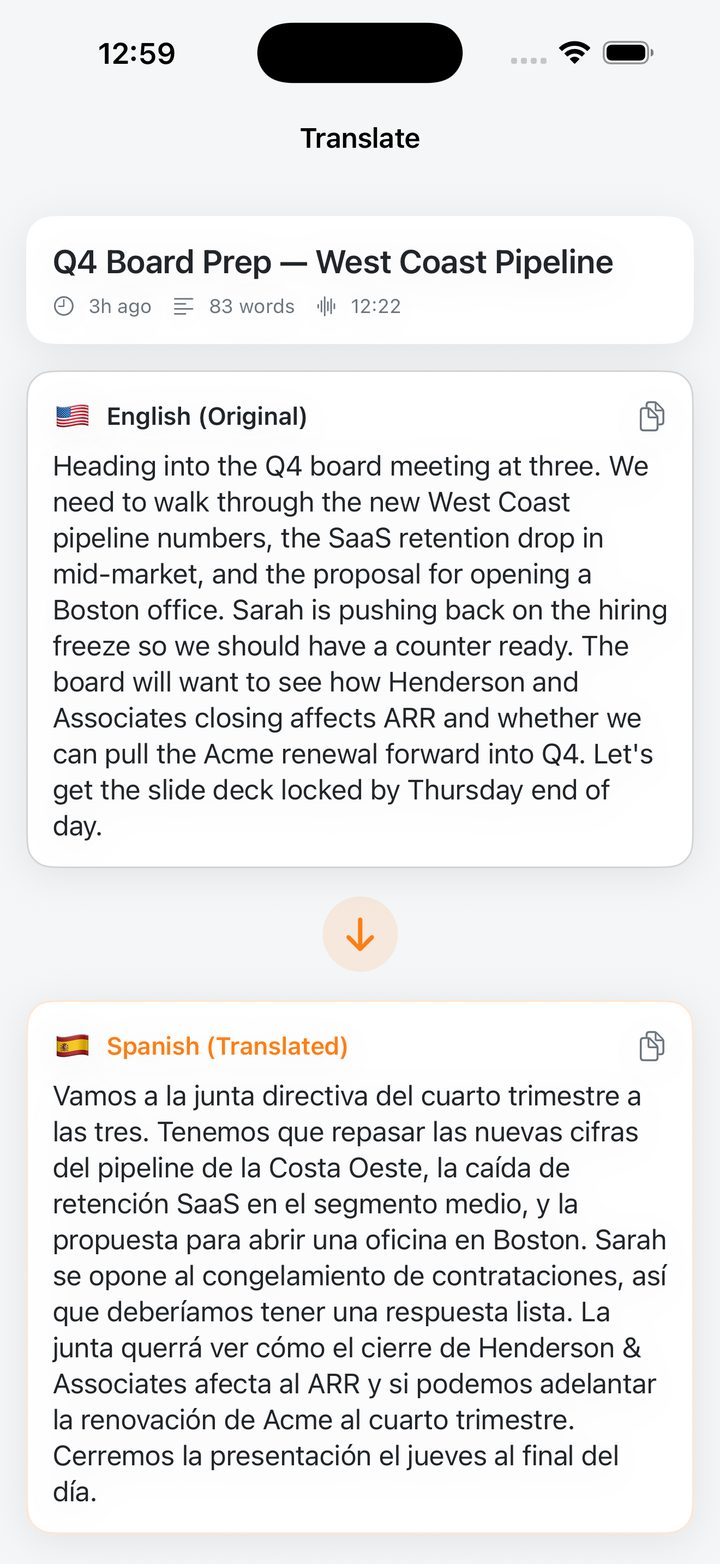
Translation
On device · iOS 18
29 languages, on your device.
Powered by Apple's Translation framework on iOS 18, every translation runs locally — nothing is sent anywhere to translate it.
- Side-by-side view of original and translated text.
- Zero data leaves the device — no servers, no logs.
- Save translations alongside the original transcript.
Every recording, instantly smarter.
Apple's Speech Framework runs on-device for accuracy and privacy. AI enhancement is opt-in, runs through a secure gateway, and never sees your raw audio without your tap.
On-device privacy
Zero data leaves the device — no servers, no logs.
Enhance with AI
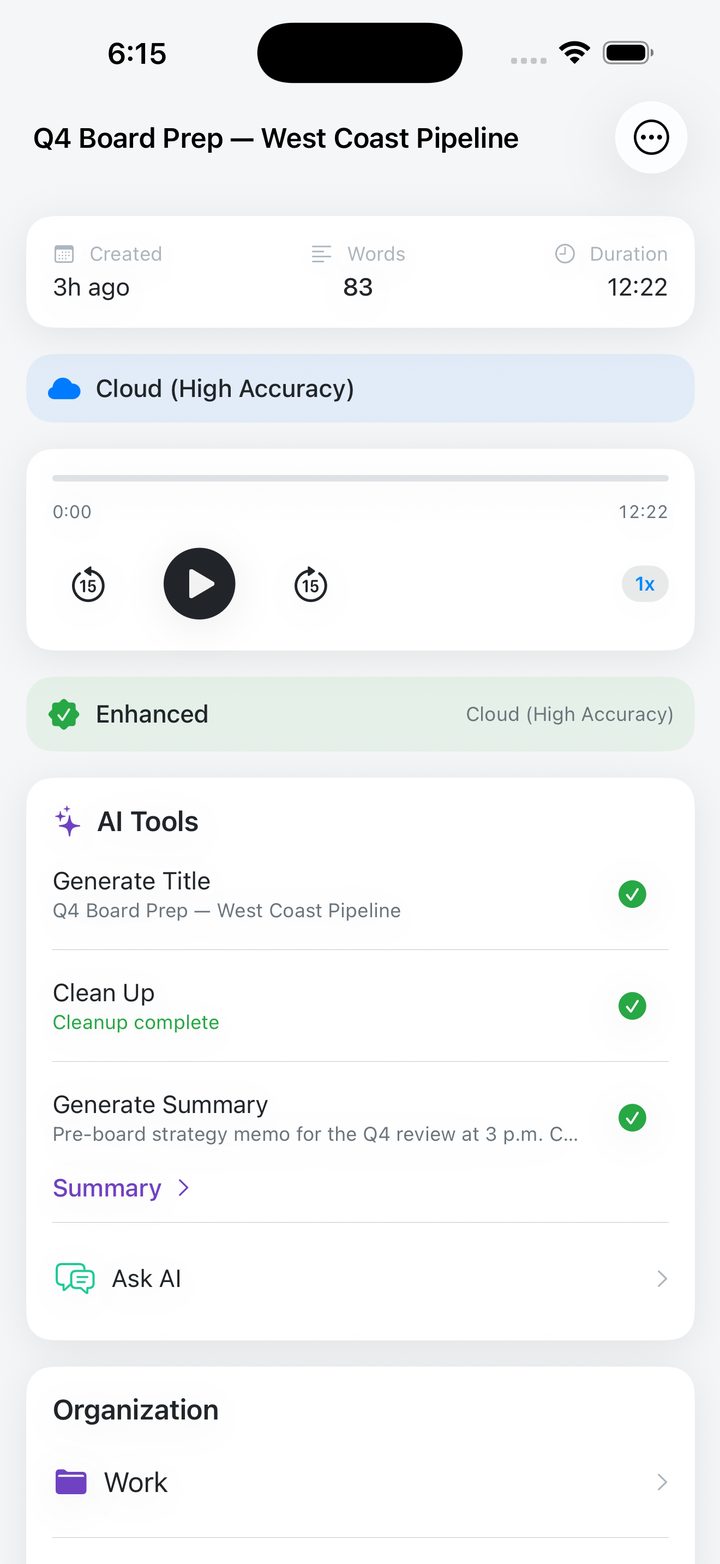
One tap runs the full pipeline: title → cleanup → summary. Or escalate to high-accuracy cloud transcription when you need it.
Library & organisation
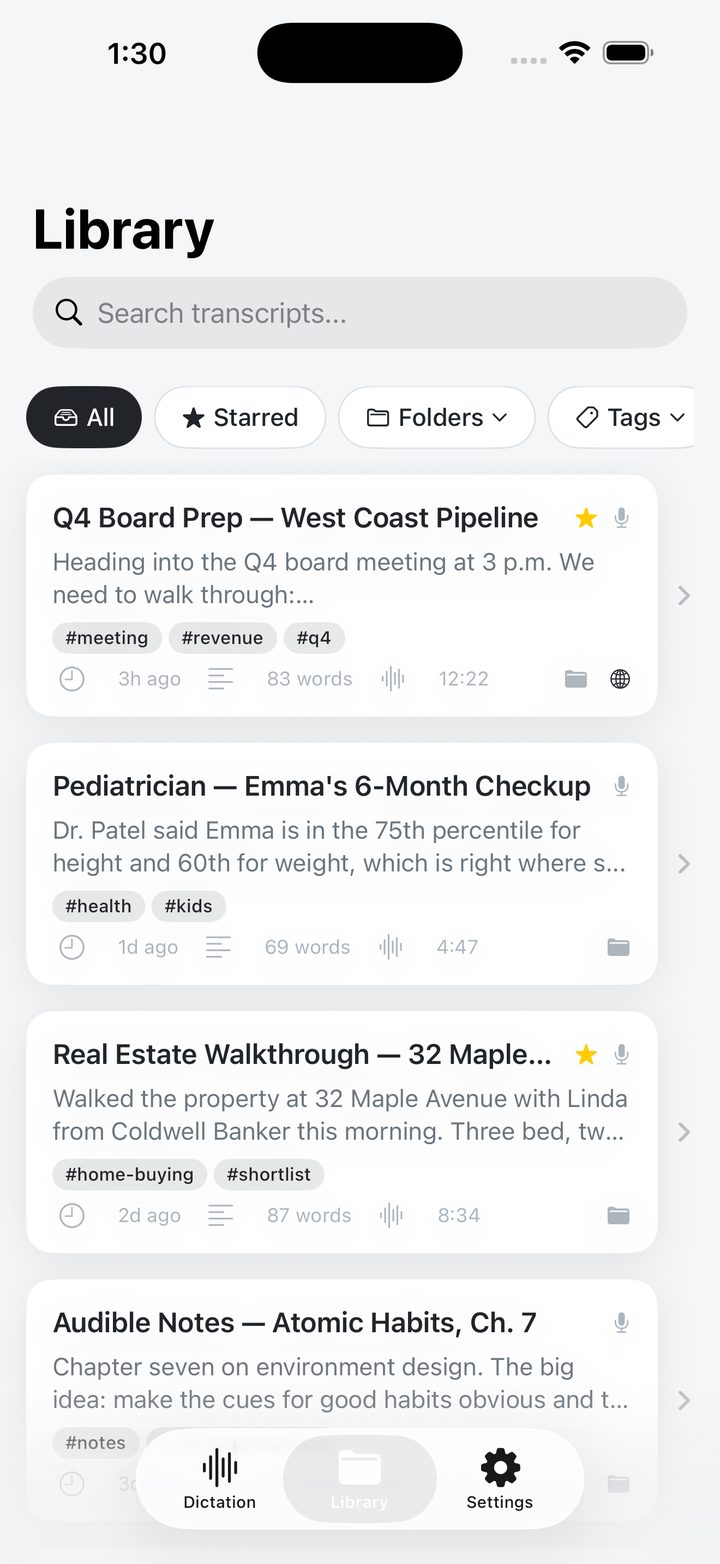
Folders, custom tags, full-text search, starred favourites, bookmarks with notes — every recording is a few taps away.
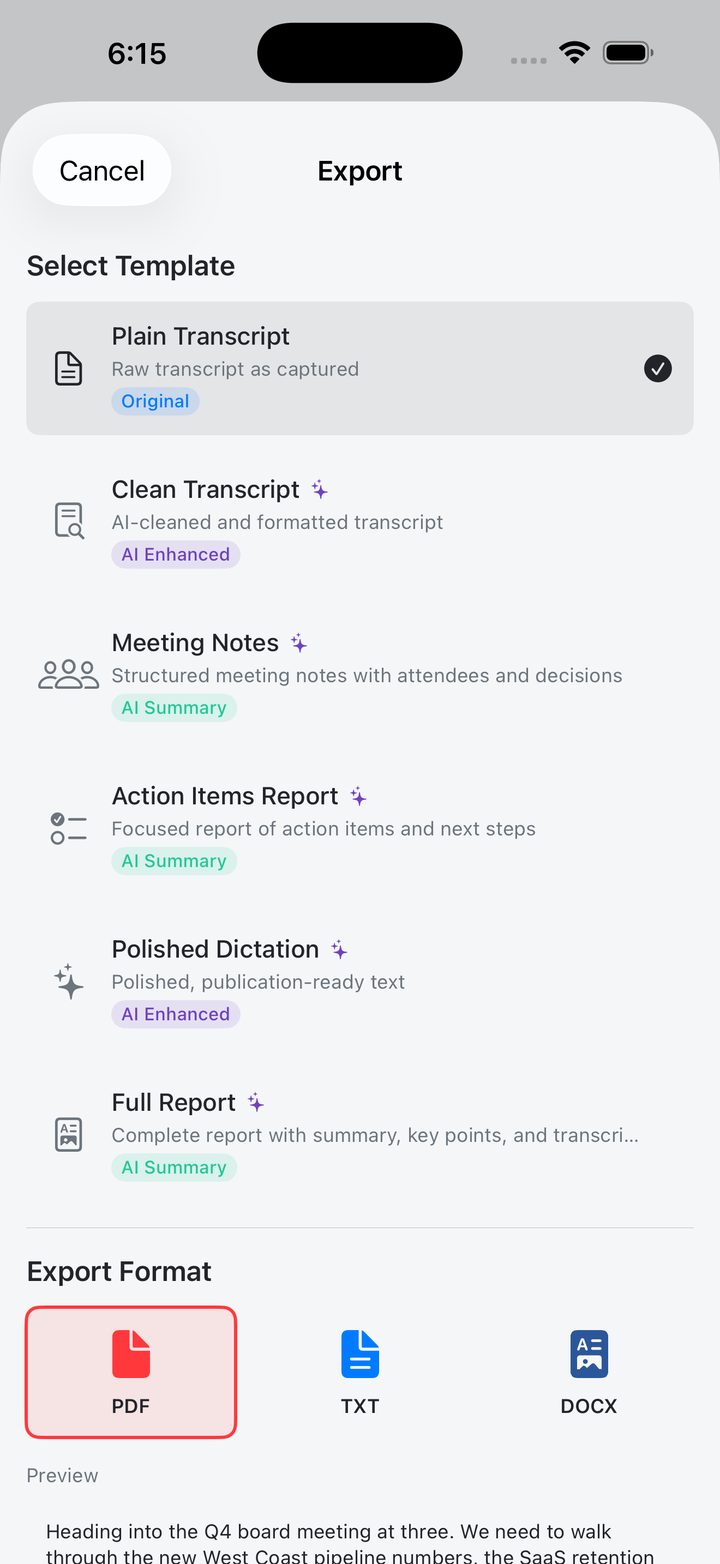
Export templates
From a raw transcript to a polished publication-ready document — pick the template, pick the format, ship it.
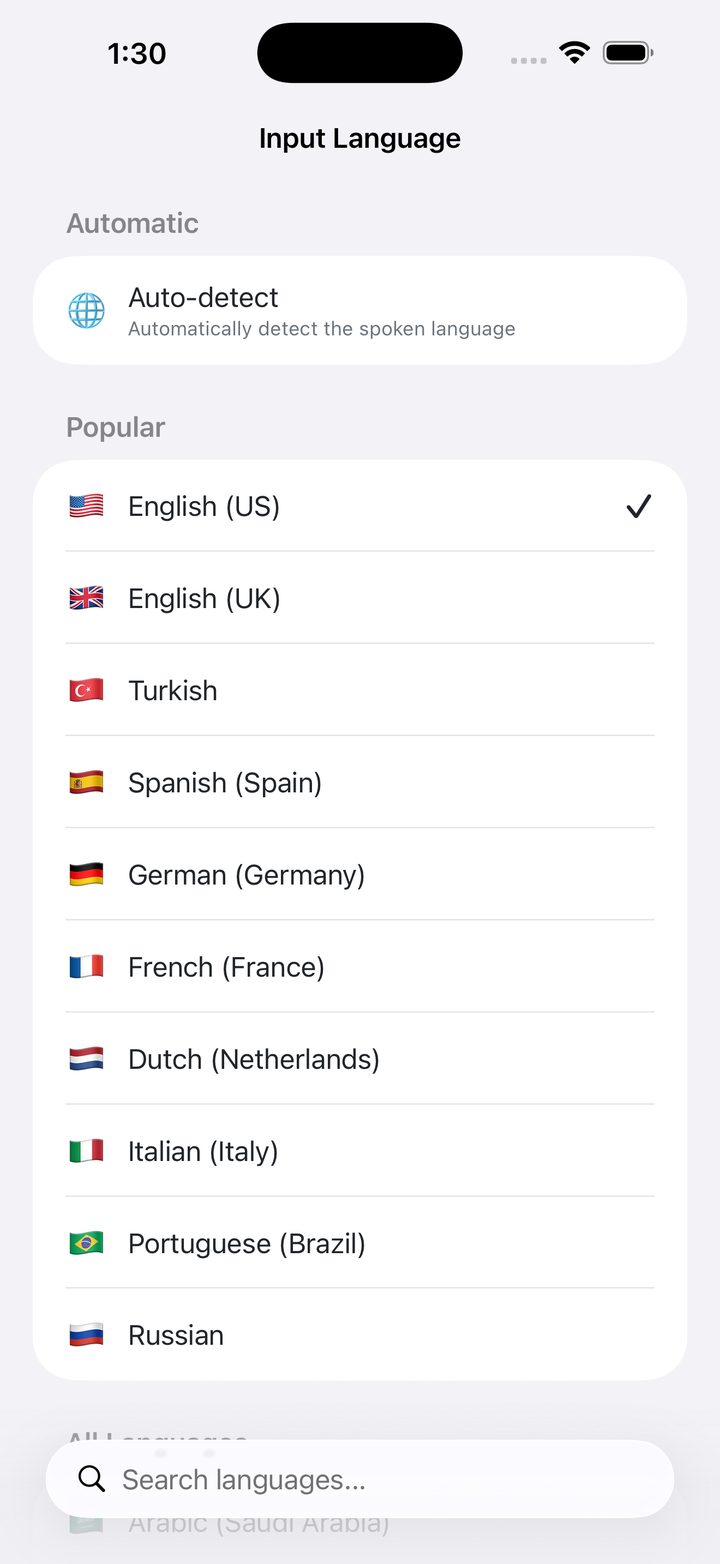
47 languages & accents
Comprehensive coverage including regional accents, with intelligent auto-detection for multilingual speakers.
Which audio formats can I import?
MP3, M4A, WAV, AAC, AIFF, and CAF — up to 100 MB. Long files are chunked automatically so you can transcribe an hour-long meeting recorded in another app.
Everything you'd want to ask, before downloading.
Is my voice data private?
By default, every recording is transcribed on-device using Apple's Speech Framework — no audio leaves your iPhone. AI features (titles, summaries, Ask AI) are opt-in and route through a secure gateway with no audio storage. Translations always run on-device via Apple's Translation framework.
Are AI summaries and answers always right?
No. Titles, cleanup, summaries and Ask AI answers are generated by AI from your transcript and can miss or misread things. The original transcript and recording are always there to check anything important.
Do I need iOS 18 for translation?
Yes — translation uses Apple's Translation framework, which requires iOS 18. The rest of the app works on iOS 16 and later.
Is Lomel the app that used to be called Dictation Pro?
Yes. Dictation Pro is now called Lomel. It is the same app on the App Store, with the same recordings and features.
Your next great recording
is one tap away.
Download Lomel and let it take the notes while you listen.